
- Forum
- Forum Categories
- Technical Stuff, Radio Gear, Electronics.
- FrSky
- Using the FrSky 4 channel sbus decoder
Using the FrSky 4 channel sbus decoder
- Klipkopwildlife
-
 Topic Author
- Offline
- Administrator
-

- I'm supposed to be retired!
Less
More
06 Aug 2019 14:12 - 06 Aug 2019 14:17 #1
by Klipkopwildlife
Do it now, you may never get another chance
Using the FrSky 4 channel sbus decoder was created by Klipkopwildlife
Futaba brought sbus into the world with much fanfare but then failed to do anything with it except attempt to sell sbus users servos at incredibly inflated prices, enter this little guy,
here
Just plug it into your RX sbus port and you can tell it what channels you want.
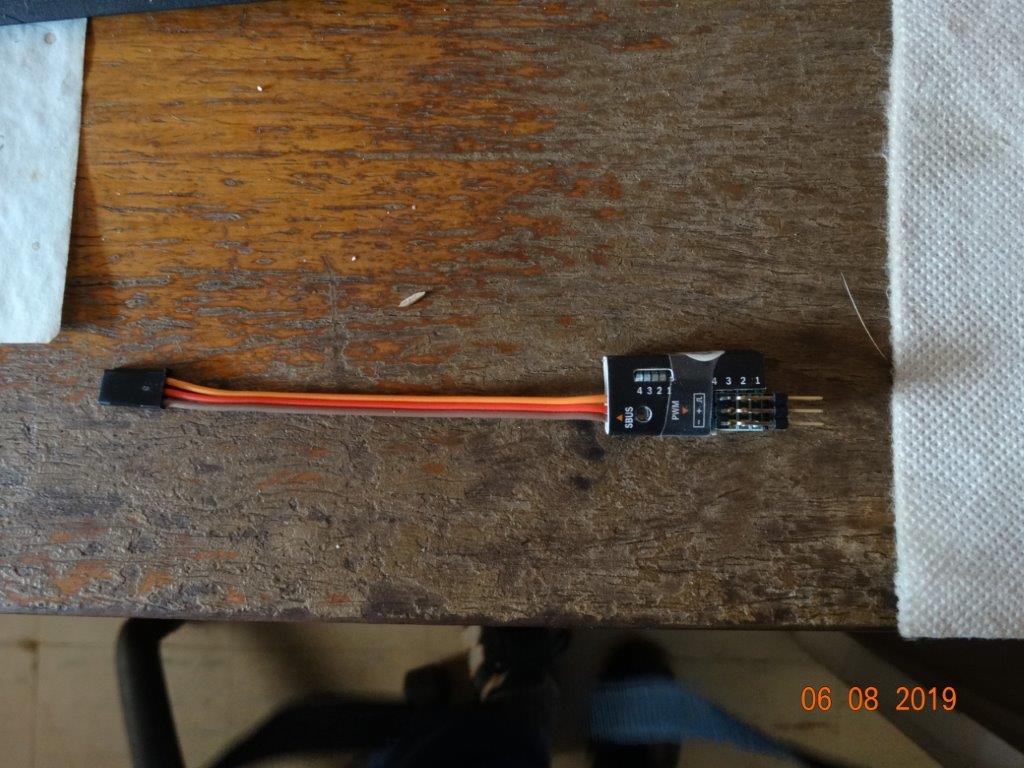 Cost 13quid for one, and weighs in at 5.2gms, where's the catch? In order to set the channels you're going to need one of these,
here
Cost 13quid for one, and weighs in at 5.2gms, where's the catch? In order to set the channels you're going to need one of these,
here
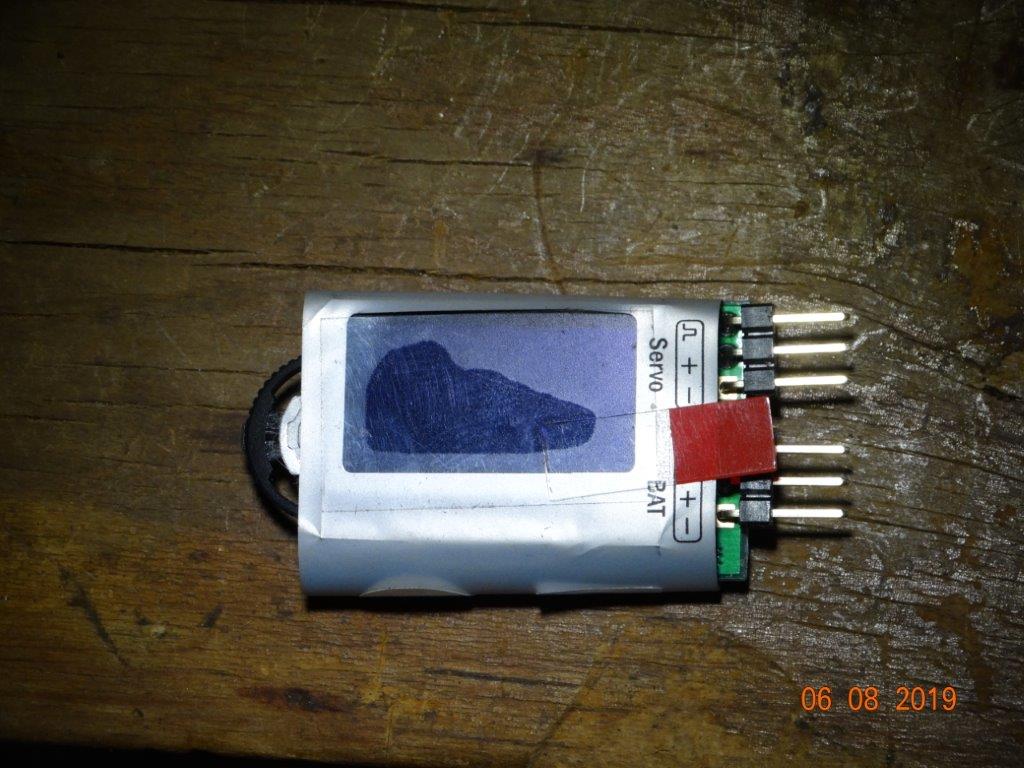 20quid for 1, but you'll only ever need one. This decoder will tell you what channels are where and allow you to set your own. In a recent case you could set output 1 & 2 to channel 2 and outputs 3 & 4 to channel 4. You could of course use a Y lead but what's the point when you have this facility to set any channel number up to 16 to any output.
Do it now, you may never get another chance
Last edit: 06 Aug 2019 14:17 by Klipkopwildlife.
Thanks: THE BLACKBIRD
Please Log in or Create an account to join the conversation.
- Klipkopwildlife
-
Topic Author
- Offline
- Administrator
-
- I'm supposed to be retired!
06 Aug 2019 14:42 #2
by Klipkopwildlife
Do it now, you may never get another chance
Replied by Klipkopwildlife on topic Using the FrSky 4 channel sbus decoder
You would think that FrSky would send the decoders out with 1=1, 2=2 etc, wrong! When I plugged this one in out of the box it powered up on output 3 and gave me this,
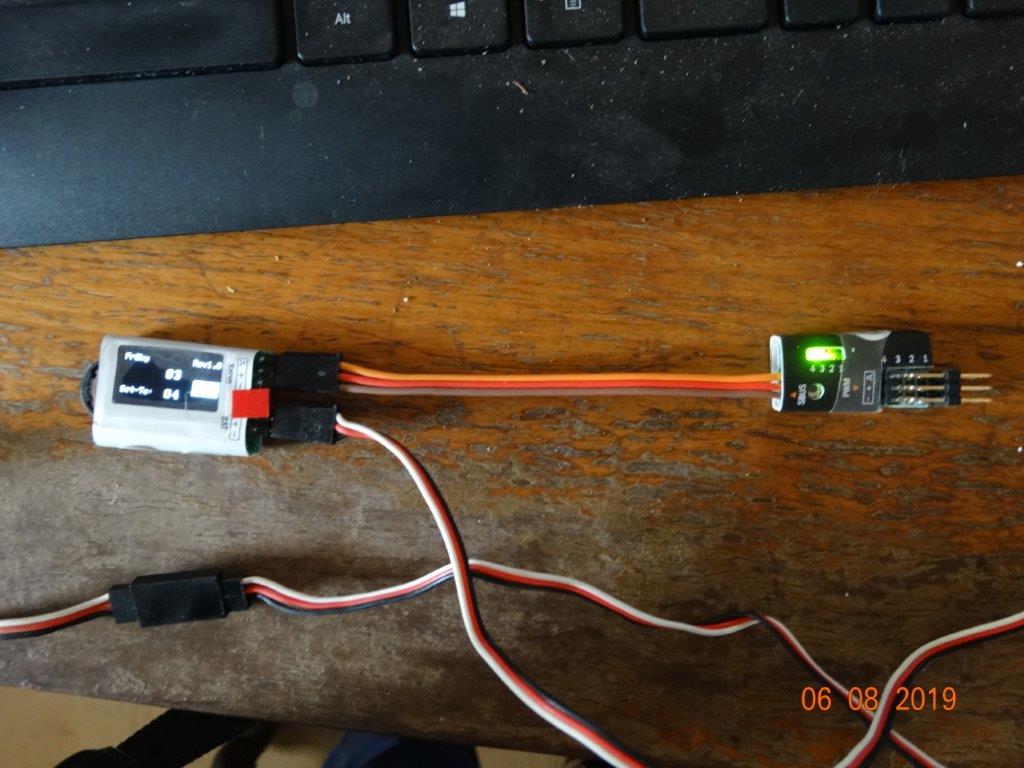 The upper number is the decoder output and the lower is what it's set to. Press the button next to where it says sbus and you get,
 , it's hard to see but each time you press the button the pwm decoder steps to the next output, in fact all outputs were set to channel 4. This means that once connected to your sbus RX all connected servos would respond to Rudder!
Do it now, you may never get another chance
Thanks: THE BLACKBIRD
Please Log in or Create an account to join the conversation.
- THE BLACKBIRD
-

- Offline
- Forum Master
-

Less
More
- Posts: 6781
- Thank you received: 10722
06 Aug 2019 15:28 #3
by THE BLACKBIRD
Replied by THE BLACKBIRD on topic Using the FrSky 4 channel sbus decoder
Ho my you have to use a computer 
Please Log in or Create an account to join the conversation.
- Eric
-

- Offline
- Moderator
-

Less
More
- Posts: 15406
- Thank you received: 14306
06 Aug 2019 17:03 #4
by Eric
if you are calm and collected when all about you are going berserk - you've missed something important!
Replied by Eric on topic Using the FrSky 4 channel sbus decoder
Are we supposed to look at the oled display on the silver dingus, or the green led on the black bit?
I've got a pretty large screen on my pc, and can't make out any details.
I've got a pretty large screen on my pc, and can't make out any details.
if you are calm and collected when all about you are going berserk - you've missed something important!
Please Log in or Create an account to join the conversation.
- Klipkopwildlife
-
Topic Author
- Offline
- Administrator
-
- I'm supposed to be retired!
06 Aug 2019 17:12 #5
by Klipkopwildlife
Do it now, you may never get another chance
Replied by Klipkopwildlife on topic Using the FrSky 4 channel sbus decoder
OK, the black bit is the channel decoder which will go into the aircraft, in this case each press of the small button in the bottom left corner will step the green led on to the next output number, obviously when you press when it's on 4 it loops back to 1. The silver bit with the screen has numbers on it, the top number is the output currently being monitored, the bottom number is the channel that the output will respond too.
Do it now, you may never get another chance
Please Log in or Create an account to join the conversation.
- Klipkopwildlife
-
Topic Author
- Offline
- Administrator
-
- I'm supposed to be retired!
06 Aug 2019 17:13 #6
by Klipkopwildlife
Do it now, you may never get another chance
Replied by Klipkopwildlife on topic Using the FrSky 4 channel sbus decoder
Err, no.THE BLACKBIRD wrote: Ho my you have to use a computer
Do it now, you may never get another chance
Please Log in or Create an account to join the conversation.
- Klipkopwildlife
-
Topic Author
- Offline
- Administrator
-
- I'm supposed to be retired!
06 Aug 2019 17:41 - 06 Aug 2019 17:56 #7
by Klipkopwildlife
Do it now, you may never get another chance
Replied by Klipkopwildlife on topic Using the FrSky 4 channel sbus decoder
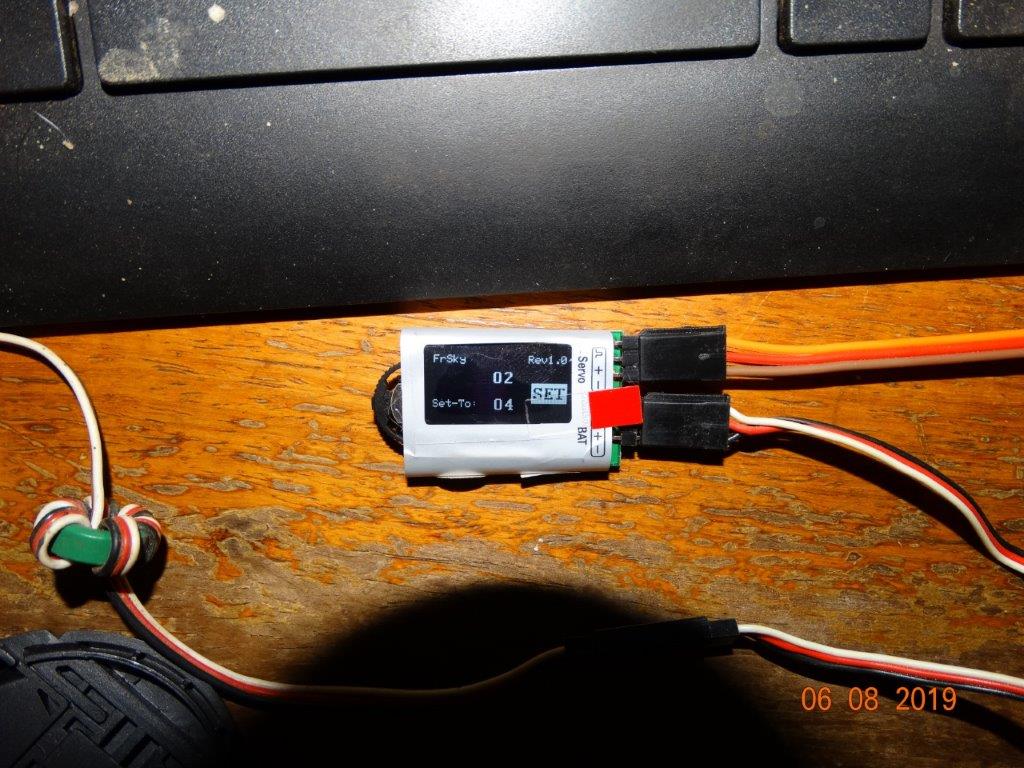
OK, this is the channel setting gadget.
 . It's telling us that output 1 from the Pwm decoder will respond to channel 2 from the radio.
This is the Pwm decoder it's showing channel 1, you can clearly see the step button, on the right are the 4 outputs.

If this is not clear I'll try again, it could be that my file sizes are quite small.
And the blankety blank lens cap keeps getting in the way!
This is the Pwm decoder it's showing channel 1, you can clearly see the step button, on the right are the 4 outputs.
If this is not clear I'll try again, it could be that my file sizes are quite small.
And the blankety blank lens cap keeps getting in the way!
Do it now, you may never get another chance
Last edit: 06 Aug 2019 17:56 by Klipkopwildlife.
Please Log in or Create an account to join the conversation.
- Klipkopwildlife
-
Topic Author
- Offline
- Administrator
-
- I'm supposed to be retired!
06 Aug 2019 18:22 - 06 Aug 2019 18:26 #8
by Klipkopwildlife
Do it now, you may never get another chance
Replied by Klipkopwildlife on topic Using the FrSky 4 channel sbus decoder
The channel changer (programmer) has a 3 position switch on the left, to set output 1 to channel 2 (elevator) I first make sure that the Pwm decoder led no 1 is lit.
 Now using the changer switch move to C once.
Note the Set-To is now high lighted.
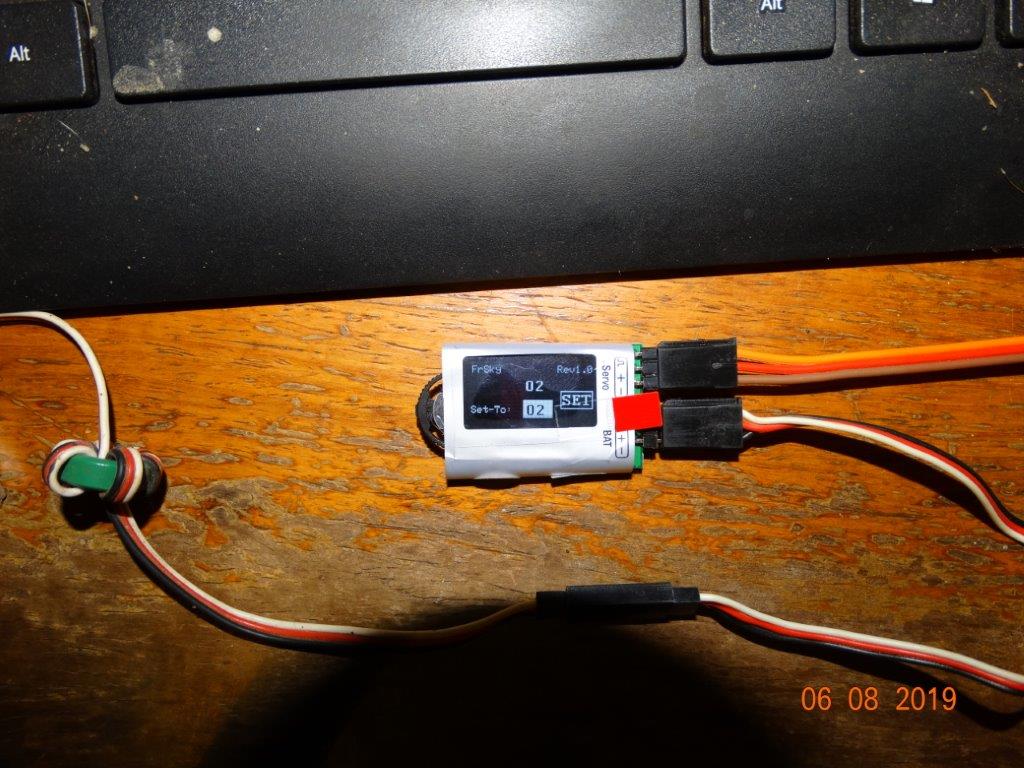
Now I press to A (in), now only the 2 is highlighted.

Moving the switch to B reduces the number and to C increases it all the way to 16 if you want.
Press to A and the whole number is highlighted.

Now press to B and SET is highlighted.
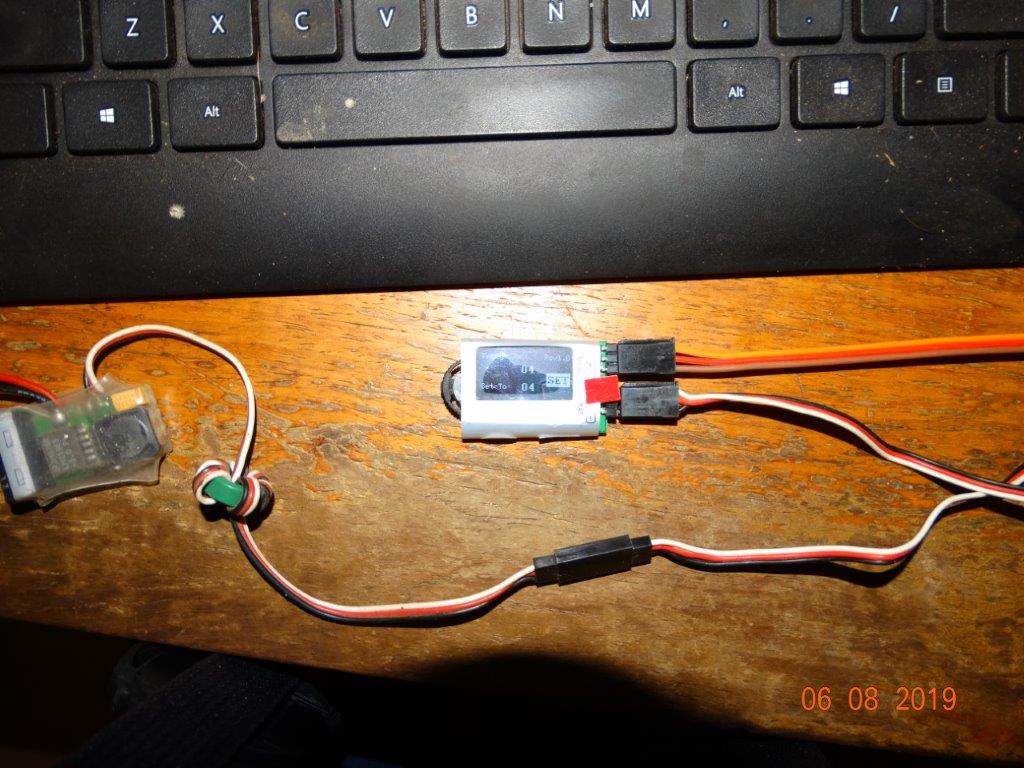
Now press to A and your output is set. In the last case to Channel 4.
Note the Set-To is now high lighted.
Now I press to A (in), now only the 2 is highlighted.
Moving the switch to B reduces the number and to C increases it all the way to 16 if you want.
Press to A and the whole number is highlighted.
Now press to B and SET is highlighted.
Now press to A and your output is set. In the last case to Channel 4.
Do it now, you may never get another chance
Last edit: 06 Aug 2019 18:26 by Klipkopwildlife.
Please Log in or Create an account to join the conversation.
- Forum
- Forum Categories
- Technical Stuff, Radio Gear, Electronics.
- FrSky
- Using the FrSky 4 channel sbus decoder
Time to create page: 0.342 seconds