
Prusa Core One
- Klipkopwildlife
-
 Topic Author
- Offline
- Administrator
-

- I'm supposed to be retired!
The up side it does just about everything else perfectly, ABS is awesome!

After all the trouble I've had over the years the finish is perfect.
Do it now, you may never get another chance
Attachments:
Please Log in or Create an account to join the conversation.
- Klipkopwildlife
-
Topic Author
- Offline
- Administrator
-
- I'm supposed to be retired!
Do it now, you may never get another chance
Please Log in or Create an account to join the conversation.
- Quorneng
-

- Offline
- Forum Master
-

- Posts: 10058
- Thank you received: 19043
It has a totally enclosed cabinet similar to the Prusa Core One and as you have found getting LW-PLA to stick on the bed can be a problem although it works well with normal PLA.
Is your bed double sided?
Things do stick better using the "smooth" side but the suggested bed temperature is only 30 degrees! This can be an issue as the whole cabinet easily gets to that temperature just from the heat generated by the nozzle! The textured side has no bed temp limit.
Mine being the cheapest version only has a single nozzle although the top of the line has four allowing simultaneous printing in 4 colours or even different types of filament!
Please Log in or Create an account to join the conversation.
- Klipkopwildlife
-
Topic Author
- Offline
- Administrator
-
- I'm supposed to be retired!
Do it now, you may never get another chance
Please Log in or Create an account to join the conversation.
- jon.in.swansea
-

- Offline
- Elite Member
-

- Posts: 757
- Thank you received: 1164
I promise not to bring it up on WhatsApp....
I look forward to hearing more about your explorations of the new beastie!
Please Log in or Create an account to join the conversation.
- Klipkopwildlife
-
Topic Author
- Offline
- Administrator
-
- I'm supposed to be retired!
Do it now, you may never get another chance
Please Log in or Create an account to join the conversation.
- jon.in.swansea
-
- Offline
- Elite Member
-
- Posts: 757
- Thank you received: 1164
The enclosure gets you more consistent internal temperatures. Kind of like the tent enclosure around my MK4S. Winter temperatures inside your print room I imagine that is a plus. The thing is that ambient temperatures can be rather on the high side come summer so that will be an interesting challenge. I can unzip parts of the 'tent' - is there a option on the Core One to increase ventilation?
The other big difference is the transport mechanics - moving away from your long history with bed slingers you mentioned the surface finish had improved. Would be good to get your impressions.
And we both raved about the speed increase when moving to the MK4S. For some non-aero models that basically translated into half the time or the ability to go with a finer Z step in the same time. What kind of step change for the Core?
And the other is the build volume - that potentially allows for bigger parts - but many suppliers of STL files have sized their parts for 200 x 200 x 200mm.
Feel free to answer in bits over the next weeks as and when your network connection is stable....
Please Log in or Create an account to join the conversation.
- Klipkopwildlife
-
Topic Author
- Offline
- Administrator
-
- I'm supposed to be retired!
There's no improvement in print speed since they both use the 'hi flow' nozzle. What is surprising is the speed of movement acceleration, after half a life time with CNC machines I don't like taking the machine to its performance limits.
Do it now, you may never get another chance
Please Log in or Create an account to join the conversation.
- Quorneng
-
- Offline
- Forum Master
-
- Posts: 10058
- Thank you received: 19043
As far as print speed goes I have to say the provided "Benchy" print file does go like lightning and prints OK but when I set up to the same sort of speeds on an "own design" print the print quality starts to suffer. There is obviously some art to successfully using really high print speeds & acceleration!
Please Log in or Create an account to join the conversation.
- Klipkopwildlife
-
Topic Author
- Offline
- Administrator
-
- I'm supposed to be retired!
The only difference that I can see is that LW-PLA needs to be in the nozzle for longer to make sure it foams properly.
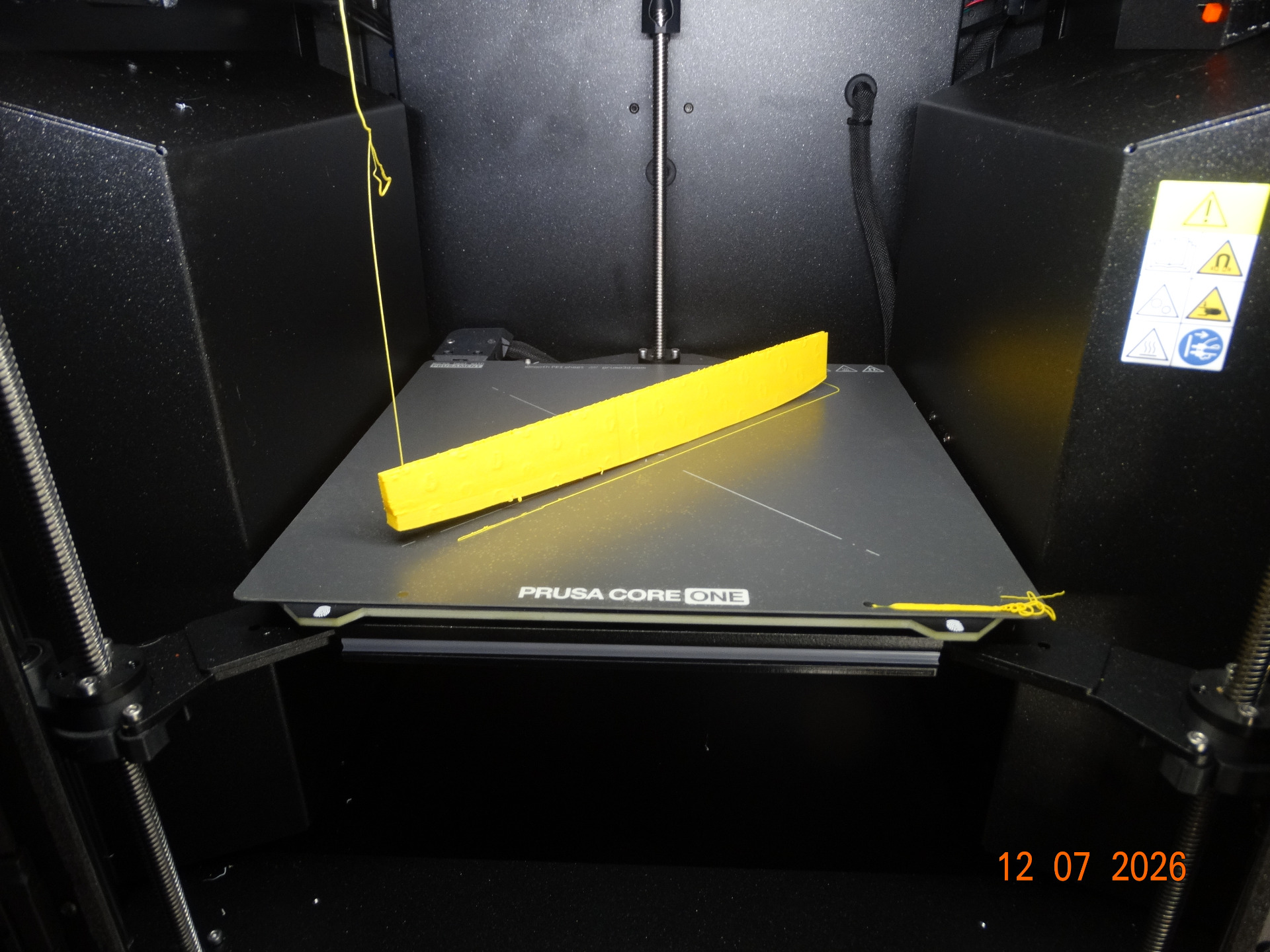
Here I've used Plane Print's recommendations for LW-PLA , you can see there was serious lifting, like you would get from printing ABS, what you can't see is that the surface has excess material where accumulated where the gyroid infill touches.
The print volume was reduced to 0.6, I then tried 0.5 and got holes in the surface.
Do it now, you may never get another chance
Attachments:
Please Log in or Create an account to join the conversation.
- Klipkopwildlife
-
Topic Author
- Offline
- Administrator
-
- I'm supposed to be retired!
Prusa Core One in the NW corner
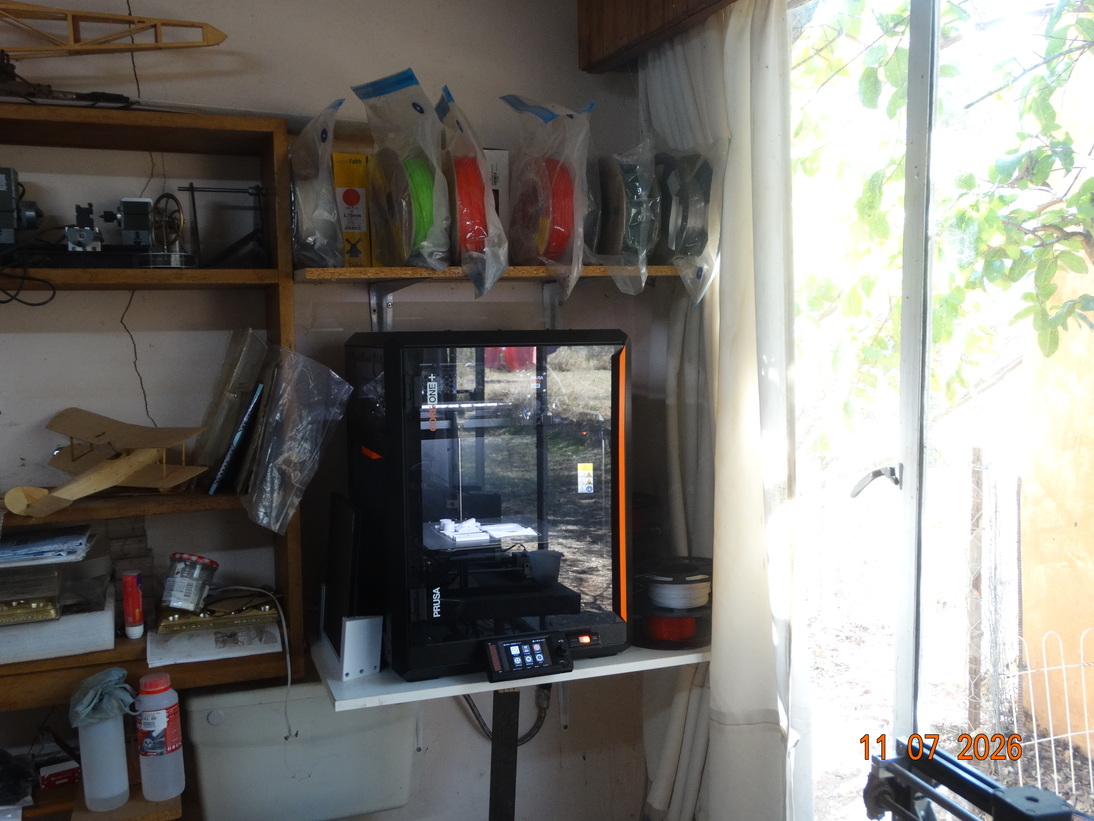
That's where the MK4 used to be

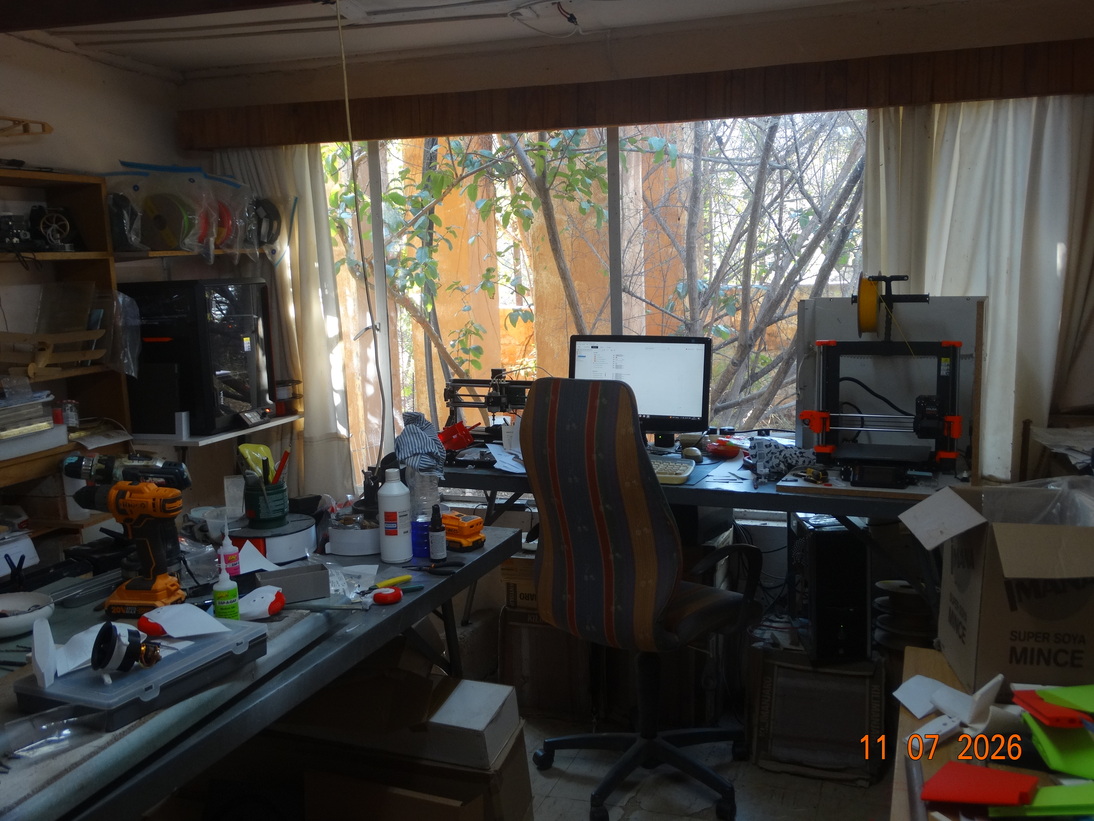
MK4 in the NE corner and the Anet has been put out to pasture.
This is now the work space
Do it now, you may never get another chance
Attachments:
Please Log in or Create an account to join the conversation.
- Klipkopwildlife
-
Topic Author
- Offline
- Administrator
-
- I'm supposed to be retired!
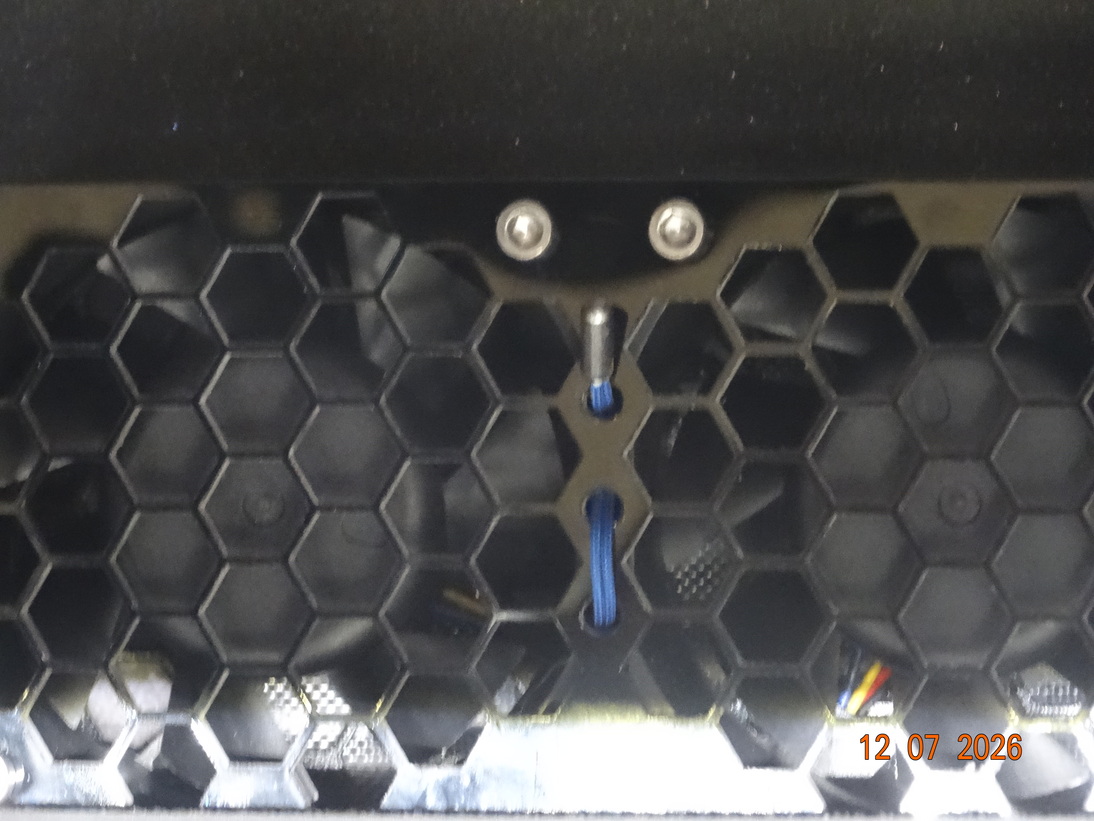
You can see the sensor in the centre. At the back outside is a box that contains a complex filter and where the air vents.
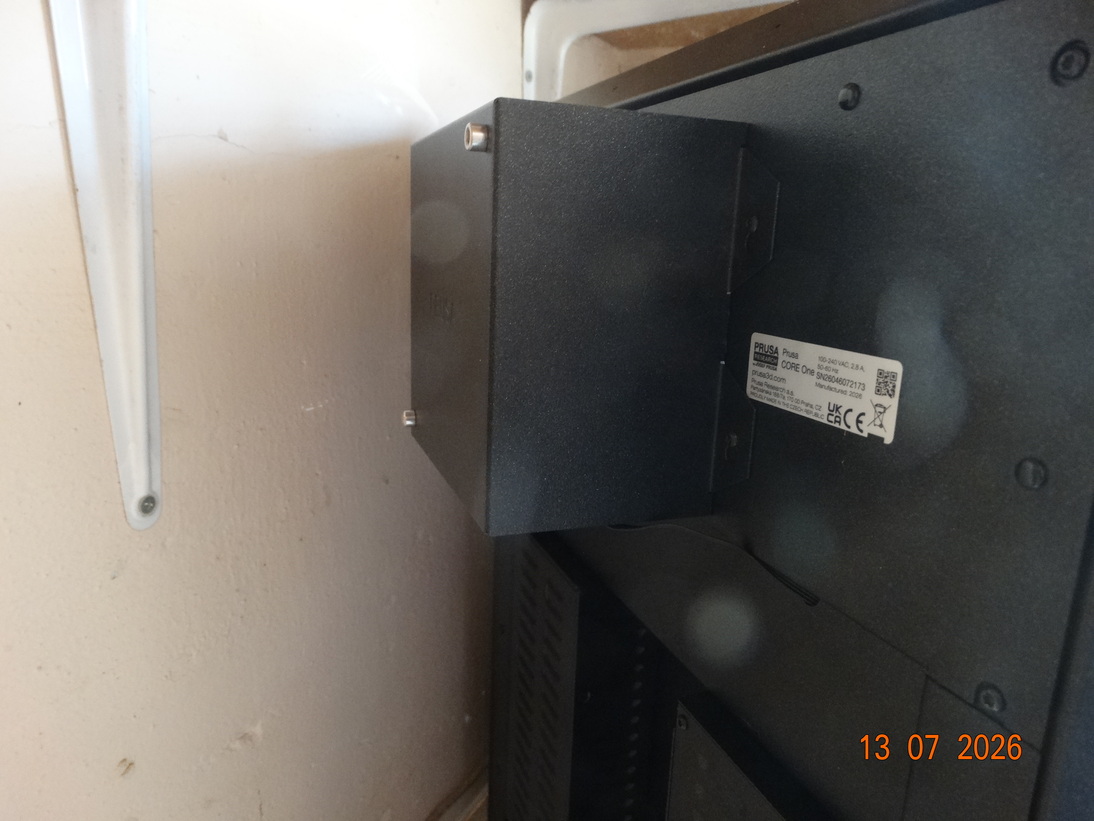
The machine uses the Bed to heat the Chamber, taking it up to 150C to do so. There is also a sliding vent on the top surface which the XY carriage rather cleverly opens and closes when necessary.
Do it now, you may never get another chance
Attachments:
Please Log in or Create an account to join the conversation.
- Klipkopwildlife
-
Topic Author
- Offline
- Administrator
-
- I'm supposed to be retired!

To move on, I notice that the PEI bed plate on the Core one has small air pockets in it where the one on the MK4 doesn't. My next move will be to move bed plate filament and stick across to the Core one.
Do it now, you may never get another chance
Attachments:
Please Log in or Create an account to join the conversation.
- Klipkopwildlife
-
Topic Author
- Offline
- Administrator
-
- I'm supposed to be retired!
Do it now, you may never get another chance
Please Log in or Create an account to join the conversation.
- jon.in.swansea
-
- Offline
- Elite Member
-
- Posts: 757
- Thank you received: 1164
Please Log in or Create an account to join the conversation.