Just re-visiting this, it's been a while.
So you want to show everyone a particular web page. First when you're on the page you want to show, left click on the browser address bar, it'll come up blue, then right click and select copy.
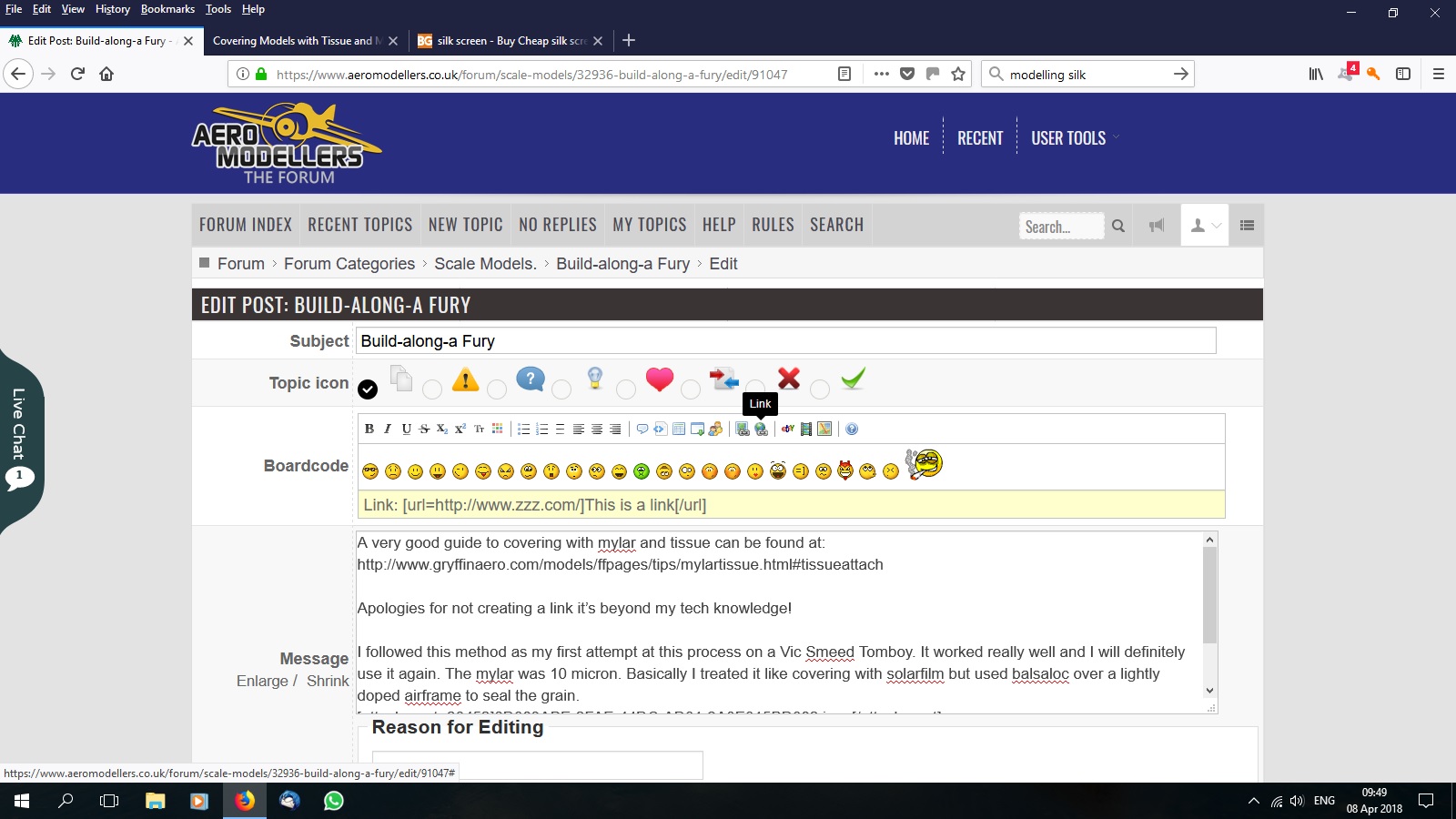
Now go back to your post and left click where you want the page pointer to appear, now move your arrow up to the little world with the chain link on it. Look for 'Link' in the picture below.
Left click on the world and a new address bar will appear.
You will see URL, Text and Insert. Left click on the URL box and delete everything in the box, it's a mistake! Now right click in the box and left click Paste, your web page address will appear. Now select Underline, you can even change the colour, click in the Text box what you want the pointer to say ('here', 'this' or whatever you want). Now left click on Insert and a whole line of gibberish will appear in your post.
When you submit the gibberish will disappear and people will be able to left click on the link and go straight to the intended page. I hope this helps.