
DIY 2.4gig
- Klipkopwildlife
-
 Topic Author
- Online
- Administrator
-

- I'm supposed to be retired!
I've been using Corona stuff for a while, and (touch wood here) have never had a failure, and I crash, a lot! I picked this up for about 30quid


Do it now, you may never get another chance
Please Log in or Create an account to join the conversation.
- Klipkopwildlife
-
Topic Author
- Online
- Administrator
-
- I'm supposed to be retired!

at mind reading
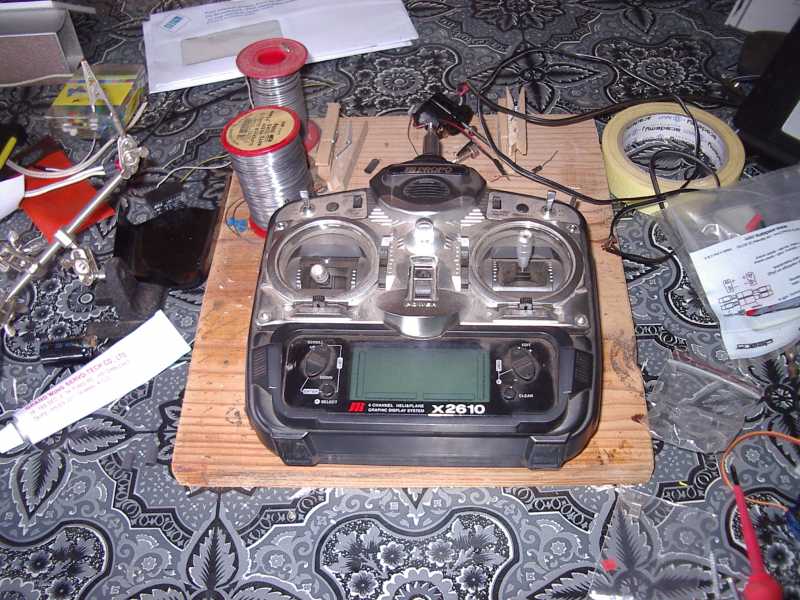
I had a JR2610 laying around.
Do it now, you may never get another chance
Please Log in or Create an account to join the conversation.
- Klipkopwildlife
-
Topic Author
- Online
- Administrator
-
- I'm supposed to be retired!

Now you have to decide where to put the bits. It doesn't look like it but there's plenty of room.
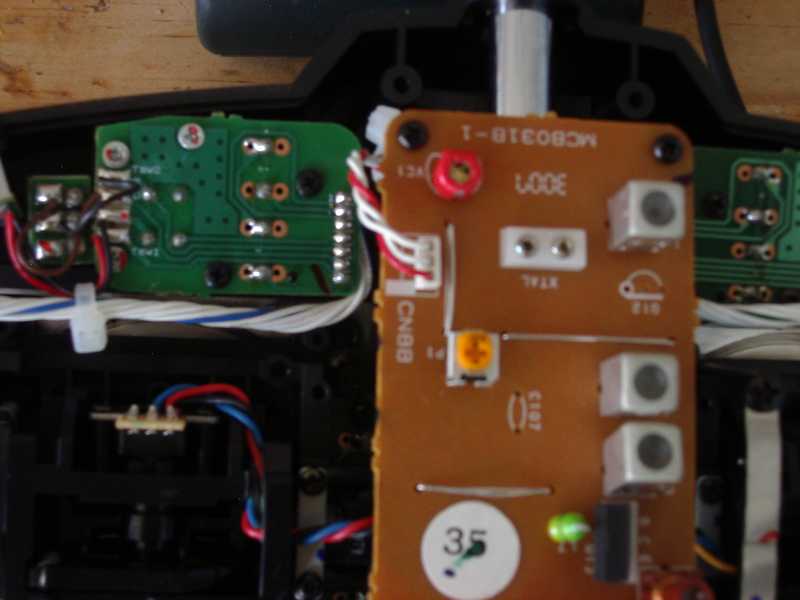
Those 3 wires are the ones we're going to be working on, be careful, that's not a plug! Ask me how I know

Do it now, you may never get another chance
Please Log in or Create an account to join the conversation.
- Klipkopwildlife
-
Topic Author
- Online
- Administrator
-
- I'm supposed to be retired!
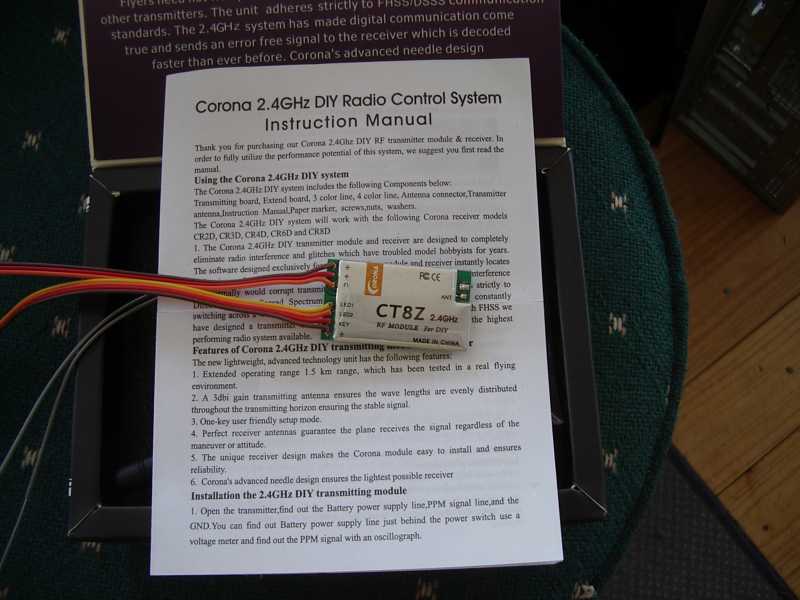
Here's where it goes
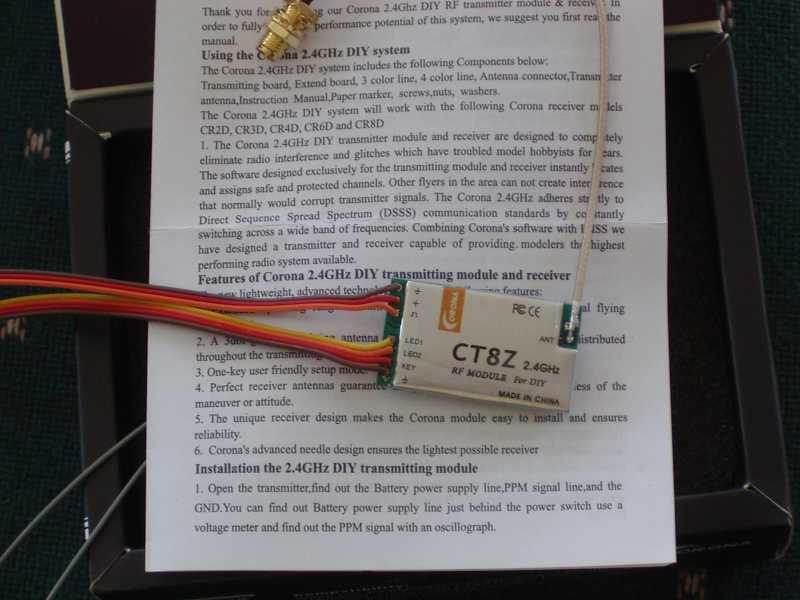
Done, it's not immediately obvious which way it goes.
Do it now, you may never get another chance
Please Log in or Create an account to join the conversation.
- Klipkopwildlife
-
Topic Author
- Online
- Administrator
-
- I'm supposed to be retired!
Next time to start drilling!

Note the sticker goes on the outside of the case, otherwise they're reversed :oops:
Then insert the screws
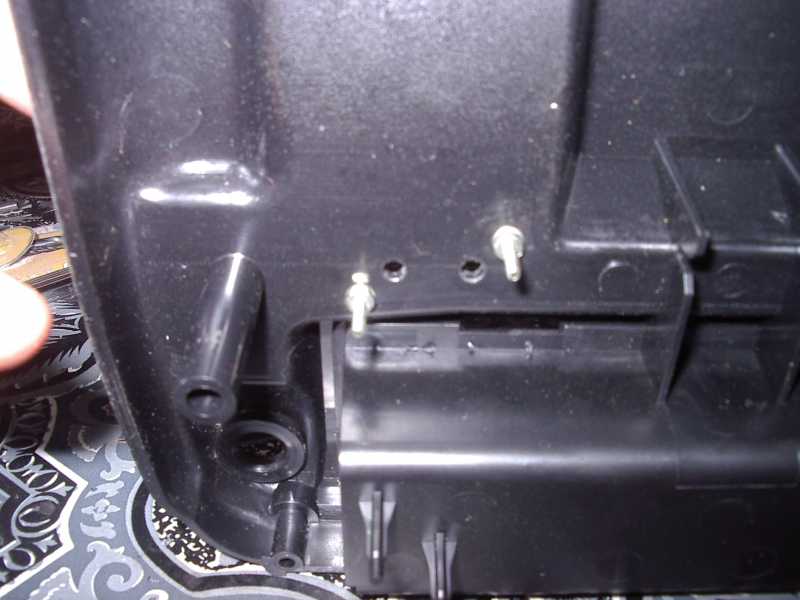
Now attach the button assembly

I made it so it's impossible to press the button by accident!
Note the velcro, bottom right, that's for the TX module.
Do it now, you may never get another chance
Please Log in or Create an account to join the conversation.
- Klipkopwildlife
-
Topic Author
- Online
- Administrator
-
- I'm supposed to be retired!

The people with quick eyes will notice I've drilled two holes, if you're going to be 2.4 only, you only need the righthand one. I decided to have the tranny switchable between 35meg and 2.4, that's the reason for the second hole, it's for a changeover switch. You will find that the switch hole drills into two re-inforcing webs in the case, you'll have to cut them out with a scalpel.
Do it now, you may never get another chance
Please Log in or Create an account to join the conversation.
- Klipkopwildlife
-
Topic Author
- Online
- Administrator
-
- I'm supposed to be retired!
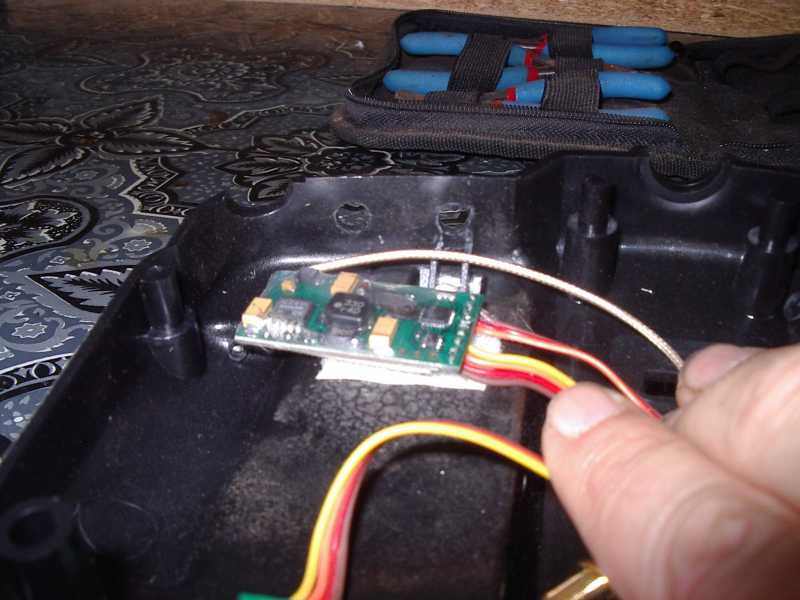
We can put the antenna socket in now, keeps it out of the way.
Well so far it's been plain sailing, now we get to the tricky bit. Rembember way back, the pic with the 35meg TX board? We're going to those 3 wires marked CNBB on the board.
The instructions say 'find out the battery , PPM and GND' (that's the short version!) If you're doing a JR, the red is positive (Battery) The wire next to it is PPM, and the last wire is negative (GND)
You have 3 wires coming from the 2.4gig side, split them so you've got about 50mm, 2inches of wire to work with. Red is power, Brown is Ground and Orange is PPM.
Bare the wires for about 10mm, half inch.
Warning, when you cut wires, always leave enough wire to reconnect if you've made a whoops! Ask me how I know:angry: Cut the red wire, fold the 35meg (connector) side out of the way. Slip a piece of heat shrink over the 2.4gig red, strip(bare), twist the two reds together and solder. Bring the heat shrink up and shrink. I usally cheat and just hold the soldering iron close, but a hot air gun (hair dryer) does work better. (don't get caught)
Do it now, you may never get another chance
Please Log in or Create an account to join the conversation.
- Klipkopwildlife
-
Topic Author
- Online
- Administrator
-
- I'm supposed to be retired!
DO NOT cut the last (GND) wire, just skin the white with a scalpel, wrap the Brown from the 2.4gig around it and solder. Use a piece of electrical tape to insulate and you're done.
Last minute check around to make sure you've no bare wires or joints, put the cover on screw on the antenna and you're done.
You'll to wait a while for the binding and testing process because I'm going to first deal with fitting the dual frequency system.
Do it now, you may never get another chance
Please Log in or Create an account to join the conversation.
- Phil Wood
-

- Offline
- Banned
-

We should also point out ( boring as it may be) that we have to abide by legistration over here that damn near castrates us.....If you bugger up your Tx your insurance may not be valid.
I like what you've done electronicaly, it's damn good.
In the old days of magazines like "Practical Electronics" we had constructors projects showing how to build radio gear....it's all gone now.

I'm a retired physicist & electronics engineer....who dabbles in chemistry....I wish we had the old ways back.
Nostalgia ain't what it used to be.
I just own the forum .... you guys make it great thanks.
Please Log in or Create an account to join the conversation.
- Klipkopwildlife
-
Topic Author
- Online
- Administrator
-
- I'm supposed to be retired!
Do it now, you may never get another chance
Please Log in or Create an account to join the conversation.
- gee kiwi
- Moderator
-

- Thank you received: 0
Please Log in or Create an account to join the conversation.
- Phil Wood
-
- Offline
- Banned
-
Pol.
I just own the forum .... you guys make it great thanks.
Please Log in or Create an account to join the conversation.
- Klipkopwildlife
-
Topic Author
- Online
- Administrator
-
- I'm supposed to be retired!
 back to the Modification, those of you who are throwing away the 35meg side may as well unscrew the 35meg aerial and use it as a flag pole for the wind sock.
If you are going switchable you're going to need a miniature double pole changeover switch, I think it's in the catalogues as a DPST, (somebody please correct me if I'm wrong here). Anything bigger will not fit, anyway I think it's a good idea to keep the ground connection to the unused transmitter. You're also going to need to extend the wires that you carefully folded back on the 35meg transmitter board side, see why you left them a bit longer?
I use old computer hard drive cables, the old 40 way ones are perfect, you should find down at the dump, they'll carry a full amp if needed. (a gent over at RCM&E gave me that tip)
We only need two wires about 6inches, 150mm long, skin the ends and push some heat shrink over each wire.
Do it now, you may never get another chance
Please Log in or Create an account to join the conversation.
- Klipkopwildlife
-
Topic Author
- Online
- Administrator
-
- I'm supposed to be retired!
Now fit the switch into the hole between the 35meg antenna and the 2.4gig connector. The 6 pins will show on the inside of the cover. Fit the switch so that the lever flips towards the one aerial or the other.
Solder the extended red wire on to upper left of the 6 switch pins, and solder the PPM extended wire to the lower left pin, and heat shrink.
Now take the Orange and Red of the 2.4gig Transmitter, The Brown is already connected to ground, remember?
Usual story, skin them, add heatshrink and solder the Red to the top right pin of the switch, Orange to the bottom right, and heatshrink.
Last lap now, take two more 6inch (150mm) wires and use them to lengthen the two wires (one red and one white) that disappear down into the depths of the Transmitter
Do it now, you may never get another chance
Please Log in or Create an account to join the conversation.
- Phil Wood
-
- Offline
- Banned
-
I've found that the pulse modulation is mostly done by a 5 volt stabilized
(regulated) supply & then fed to a non stab full battery RF section.....the fm deviation decided by the 5V pulse..
Can you confirm this?
Pol.
I just own the forum .... you guys make it great thanks.
Please Log in or Create an account to join the conversation.