
3D printing Widgets
- Klipkopwildlife
-
 Topic Author
- Offline
- Administrator
-

- I'm supposed to be retired!
Do it now, you may never get another chance
Please Log in or Create an account to join the conversation.
- Magpie
-

- Offline
- Elite Member
-

- Posts: 587
- Thank you received: 1048
I'll add holes in the corners of the mounting plate so I have the option of screwing it down.
I've also got the neoprene & could use soft washers under the fixings.
Being a newcomer & reading of the dangers of electric props I wouldn't be happy holding a motor by hand. I always have my safety screen in place if the motor has a propellor on.
Please Log in or Create an account to join the conversation.
- Magpie
-
- Offline
- Elite Member
-
- Posts: 587
- Thank you received: 1048
It would be good if someone could check them out.
Please log in or register to see it.
Please log in or register to see it.
Please Log in or Create an account to join the conversation.
- Magpie
-
- Offline
- Elite Member
-
- Posts: 587
- Thank you received: 1048
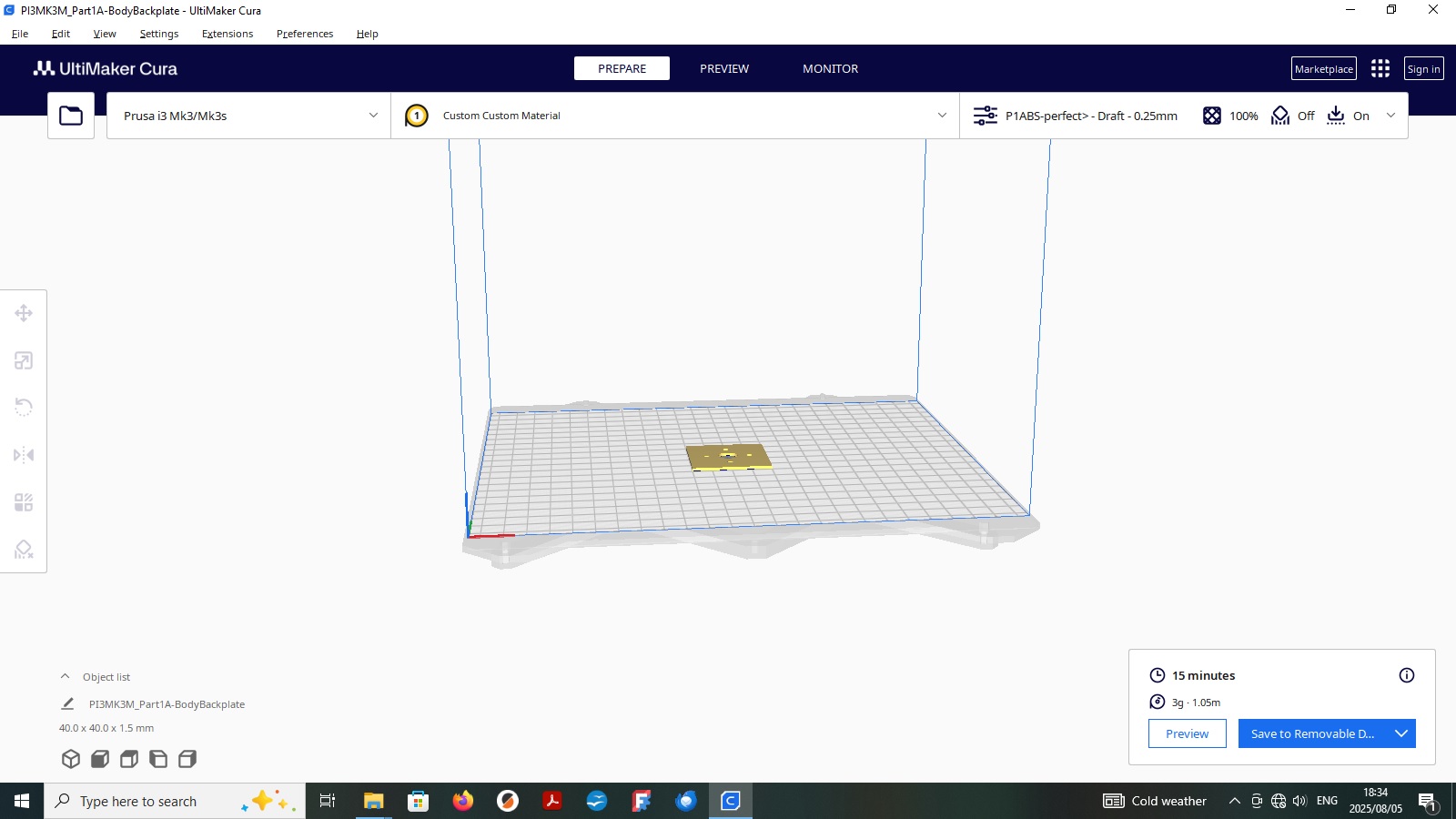
I assume Klippy's post showed the software for his printer, Is there a simulator for checking out STL files?
I've only had a brief look but the Ultimaker Cura (as in Klippy's post) is mentioned on one site. Can you just download the software to use it as a simulator?
Please Log in or Create an account to join the conversation.
- jon.in.swansea
-

- Offline
- Elite Member
-
- Posts: 767
- Thank you received: 1192
One way to see if the exported STL can be printed is to import the STL file into a 3D printer slicer. If it loads and looks like you expect then you are well on your way. And looking correct is the first step. The 3D printer slicer's job is to take the STL and convert it into instructions that a 3D printer can understand. That stage might fail.
I can also open a STL file on my Mac Computer because it can preview what the STL file will look like. There will be probably free tools on Windows computers that allow you to see what an STL file looks like.
So what version of FreeCAD are you using. I have a machine with version 1.0.0 on it and another with version 1.0.1 on it. I could look at the FreeCAD native file as well as the STL file. I could even try loading it into a 3D printer slicer and see if that is happy. Exchanging files probably send me a private message and we can make a plan for exchanging files if that would help.... -Jon
Please Log in or Create an account to join the conversation.
- jon.in.swansea
-
- Offline
- Elite Member
-
- Posts: 767
- Thank you received: 1192
So WELL DONE. You seem to have a valid STL file.
Do you have an opinion as to the print characteristics? In other words - how much infi within the object? How many layers on the sides and top and bottom?
Solid would be overly heavy. Totally hollow would probably be silly.
Observation - it is 4mm thick. You might get away with 3mm thick (save a bit of weight). -Jon
Please Log in or Create an account to join the conversation.
- jon.in.swansea
-
- Offline
- Elite Member
-
- Posts: 767
- Thank you received: 1192
Please Log in or Create an account to join the conversation.
- Magpie
-
- Offline
- Elite Member
-
- Posts: 587
- Thank you received: 1048
The main difficulties I had:
Hexagons;
I could sketch them to size but getting them to be fully constrained & turn green was difficult.
Sometimes adding horizontal or vertical constraints caused them to rotate & I could spin them by clicking on an edge & moving it.
Even though I'd defined an angle when I drew it, I had to add an angle constraint to an edge to get it to turn green.
Mirroring;
The video I was learning from was for a different version of FreeCAD & it took some time for me to spot the error of my ways.
One thing the video said was that mirroring didn't keep the constraints but when I first got it to work it seemed to keep the constraints. However when I've opened the file this morning not all the hexagons are green so some constraints must have been lost.
I haven't tried to correct them yet this morning.
Pockets;
When I drew the first hexagon I used the pocket command succesfully.
However being preoccupied with mirroring & adding constraints I don't know if I'd pocketised all the hexagons although they seem to be shown as pockets on the 3D view.
The "Front" part is the face that the motor would be mounted on with hexagon pockets in its reverse to carry the nuts.
The "Back" part would be glued on the reverse of the "Front" to hold the nuts in place.
So the "Back" only needs to be 1mm thick as it is totally glued to the "Front".
The "Front" needs to carry M3 nuts so the pockets need to be 2.6mm deep (for 2.55 max nut thickness).
I have chosen 4mm thickness for the front which leaves 1.4mm thickness in the pockets, hopefully enough for the nuts not to pull through. The part is not part of a flying model so weight isn't critical - within reason.
As to your question on "print characteristics"!! This is beyond me. Quorneng would have the answers.
I had assumed that the part would be solid.
If I understand what you are asking, I know nothing about the internal structures of printed parts. I imagined them to be like worm casts.
I have worked on CNC machines so am familiar with G-codes as they relate to them though mostly it was the M-codes we had to deal with.
I came across the term "Slicer" yesterday. The image it conjured up was a "Bacon Slicer".
I think they were called "Post Processors" on CNC machines though I never understood what they did, people in a different room were always on about them.
My FreeCAD is version 1.0.1
Please Log in or Create an account to join the conversation.
- Klipkopwildlife
-
Topic Author
- Offline
- Administrator
-
- I'm supposed to be retired!
Do it now, you may never get another chance
Please Log in or Create an account to join the conversation.
- Quorneng
-

- Offline
- Forum Master
-

- Posts: 9436
- Thank you received: 19043
I am not quite clear on the problems you are having with hexagons.
I presume (hope) you are using the "Hexagon" function in the "Part design" work bench.
This will automatically draw a hexagon positioned and controlled by the mouse cursor and the buttons. The clever bit it uses a blue "construction" circle which you can edit to set the hex max diameter. When you have several hexagons you can set their outer circles to be equal using the "=" function. That saves time!

Once you give a hexagon X & Y position figures it will turn green. The blue circle around the hexagon is ignored when the file is exported.
This is the "hexagon" file for my FX707 mounting plate.

All the blue "construction" lines have been created by Free Cad for the hexagons and the plate's elliptical shape.
Just keep using Free Cad. It took me a long time to discover its "how to do" features and I have most certainly not found them all!
Please Log in or Create an account to join the conversation.
- jon.in.swansea
-
- Offline
- Elite Member
-
- Posts: 767
- Thank you received: 1192
One of them is regular polygon.
If you say 6 sides and then give it a 'circumradius' that creates something that you can extrude into a solid that can then be subtracted.
Here are a couple of images. Sometimes the create primitive option is greyed out and then it returns. Have not figured that out yet.


In sketcher there is also a hexagon that can be created but that seems rather over the top.
Please Log in or Create an account to join the conversation.
- Magpie
-
- Offline
- Elite Member
-
- Posts: 587
- Thank you received: 1048
Your screen is different from mine.
On my top line it says FreeCAD 1.0.1 but yours doesn't give the version.
On my second top line I have a selection box to switch between "Part Design" & "Sketcher".
You say "Part Design Workbench" but it looks like you are on the "Sketcher" workbench You have the Sketcher tools lit up in red.
This is one of the problems, different versions look & behave differently.
I use the same selector as you to create a hexagon.
I planted it at -11.67mm in X & -10 mm in Y with a 3.2mm radius to a point and an angle of 0 deg
In the Solver messages it say Under "Constrained" 3 DoFs
Adding a horizontal constraint of 11.67 mm reduces the DoFs to 2
Adding a vertical constraint of 10 mm reduces the DoFs to 1
At this stage the hexagon is not green but is square but I can rotate it
Changing the vertical constraint to 7 mmm shifts the hexagon but also rotates it a few degrees
The problem now is to find the missing constraint.
As I can rotate the hexagon it must be an angular constraint.
I have tried various ways to add this constraint but I either get error messages or the DoFs shoot up to 25
Jon in Swansea
I think what I am doing is what you refer to at the end of your post.
Please Log in or Create an account to join the conversation.
- Magpie
-
- Offline
- Elite Member
-
- Posts: 587
- Thank you received: 1048
I tried this before & it didn't work, maybe you've got to choose the correct side).
Looking at all the hexagons they don't all show the angular constraint, only the first, second & last. The others show little arrows from their points which I think denotes a symmetry constraint.
There's obviously more than one way to stuff a mushroom.
Please Log in or Create an account to join the conversation.
- Magpie
-
- Offline
- Elite Member
-
- Posts: 587
- Thank you received: 1048
I added Horizontal & Vertical constraints & got the message Fully constrained.
The new hexagon shows the angular constraint on one of its sides as does the original top right one.
Obviously you've got to do things in the same way every time.
The bearded-one in the video implied you can "extrude" a part without it being fully constrained (which he said never to do), so maybe thats why the 3D images showed it correctly, but maybe further down the line it can cause problems.
Please Log in or Create an account to join the conversation.
- Magpie
-
- Offline
- Elite Member
-
- Posts: 587
- Thank you received: 1048
Please log in or register to see it.
Please log in or register to see it.
Please Log in or Create an account to join the conversation.