
3D printing Widgets
 Topic Author
Klipkopwildlife
Offline

Re: 3D printing Widgets
Yesterday 13:27
I printed the LE parts using the Prusa slicer, I loaded the Config file for PLA and then changed the 2 references to 'max volumetric speed' to 3mm3/s and for the first time ever I managed to get a decent LW-PLA print
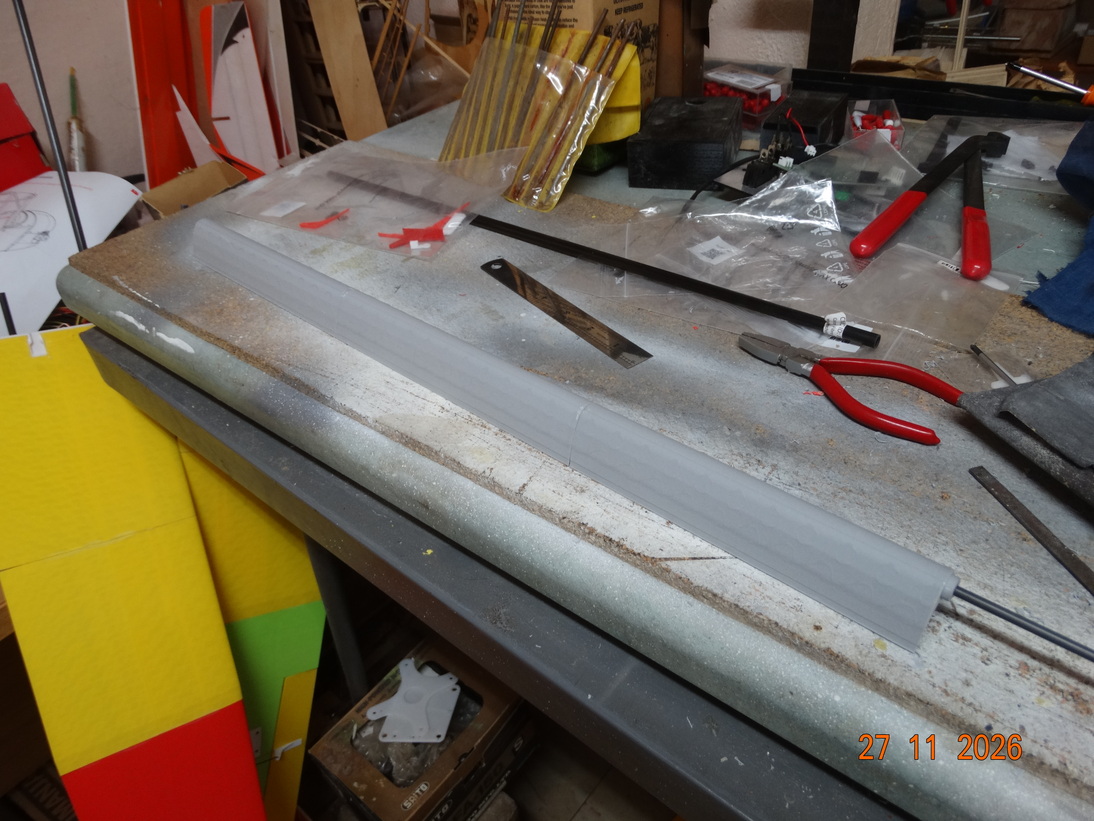
I had printed some 9.6mm x 35mm plugs with a 4.1mm hole so I could align the 3 parts using a 4mm carbon rod.
Next job is to tape the new edges to the existing leading edge.
I had printed some 9.6mm x 35mm plugs with a 4.1mm hole so I could align the 3 parts using a 4mm carbon rod.
Next job is to tape the new edges to the existing leading edge.
Do it now, you may never get another chance
Thanks: THE BLACKBIRD
Please Log in or Create an account to join the conversation.
S
SimonC
Offline
Premium Member


SimonC
- Posts: 127
- Thanks: 399
Re: 3D printing Widgets
Yesterday 17:14 - Yesterday 17:17
I am a bit puzzled.
Are you wanting to reform the gcode file so it can be edited in FreeCad? I know of no way this can be done.
I only edit the original FreeCad files but as long as I "save" any edits the file (or its new name) is always there within the folder file structure.
An example with screen shots.
If I open FreeCad, click "file" and then "open" in the drop down menu I get a list of folders
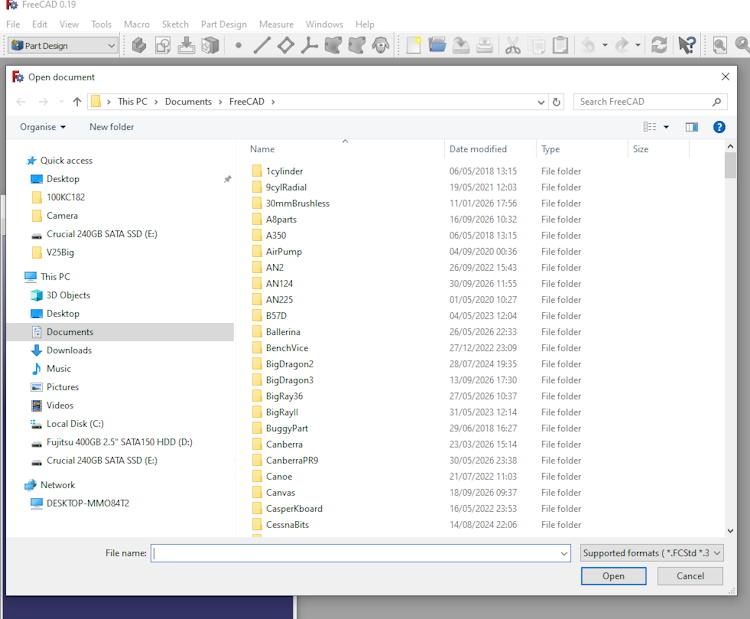
If I click on say the Canberra PR9 folder the list of FreeCad files is shown.
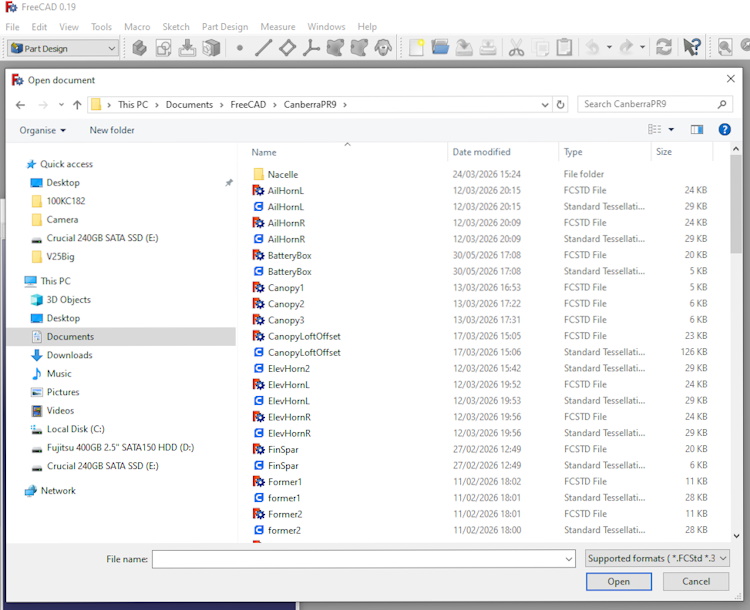
There are two types. The FCSTD files which are directly editable in FreeCad and the CURA STL file which are not, although FreeCad will display the image.
Clicking on the file "BatteryBox"
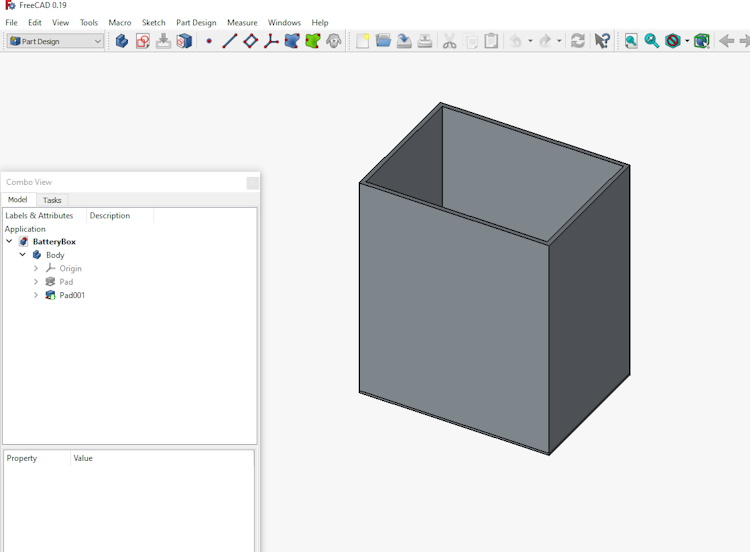
Double clicking on a sketch name shows its elements that can be edited.
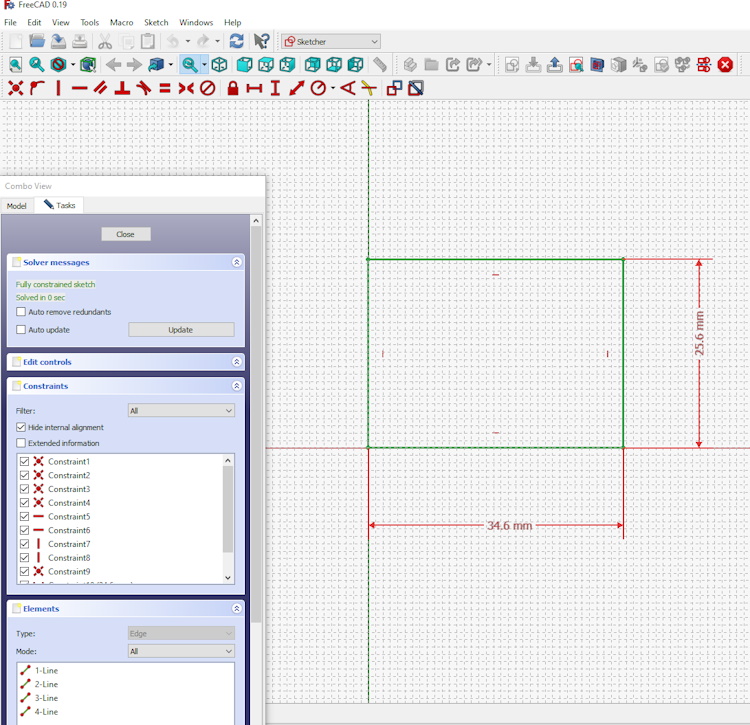
As long as the file is saved (or renamed) in FreeCad it will appear in the CanberraPR9 file list and can be edited.
If it is modified in FreeCad it does have to be exported into CURA and saved as a matching gcode file to suit the printer.
If there is a fault in the detail of what the printer is doing I do accept the remedy is a bit long winded having to go back to the original FreeCad file, edit it appropriately, slice it and recreate the final gcode file but it quite secure and practical process.
It is one reason I don't like designing really big printed parts. The chances of getting it right first time are just too small!
Are you wanting to reform the gcode file so it can be edited in FreeCad? I know of no way this can be done.
I only edit the original FreeCad files but as long as I "save" any edits the file (or its new name) is always there within the folder file structure.
An example with screen shots.
If I open FreeCad, click "file" and then "open" in the drop down menu I get a list of folders
If I click on say the Canberra PR9 folder the list of FreeCad files is shown.
There are two types. The FCSTD files which are directly editable in FreeCad and the CURA STL file which are not, although FreeCad will display the image.
Clicking on the file "BatteryBox"
Double clicking on a sketch name shows its elements that can be edited.
As long as the file is saved (or renamed) in FreeCad it will appear in the CanberraPR9 file list and can be edited.
If it is modified in FreeCad it does have to be exported into CURA and saved as a matching gcode file to suit the printer.
If there is a fault in the detail of what the printer is doing I do accept the remedy is a bit long winded having to go back to the original FreeCad file, edit it appropriately, slice it and recreate the final gcode file but it quite secure and practical process.
It is one reason I don't like designing really big printed parts. The chances of getting it right first time are just too small!
Last edit: Yesterday 17:17 by SimonC. Reason: Attachments
Thanks: Klipkopwildlife
Please Log in or Create an account to join the conversation.
Topic Author
Klipkopwildlife
Offline
Re: 3D printing Widgets
Yesterday 17:20
Simon said "Double clicking on a sketch name shows its elements that can be edited." That is the bit that I'm missing, I have managed to edit files, but don't know how I did it!
I also know that lines can be moved, but how the hell do you do that? I've invoked it by accident but how do you do it when you want too?
I also know that lines can be moved, but how the hell do you do that? I've invoked it by accident but how do you do it when you want too?
Do it now, you may never get another chance
Please Log in or Create an account to join the conversation.
S
SimonC
Offline
Premium Member
SimonC
- Posts: 127
- Thanks: 399
Re: 3D printing Widgets
Yesterday 18:11
Taking the BatBox sketch
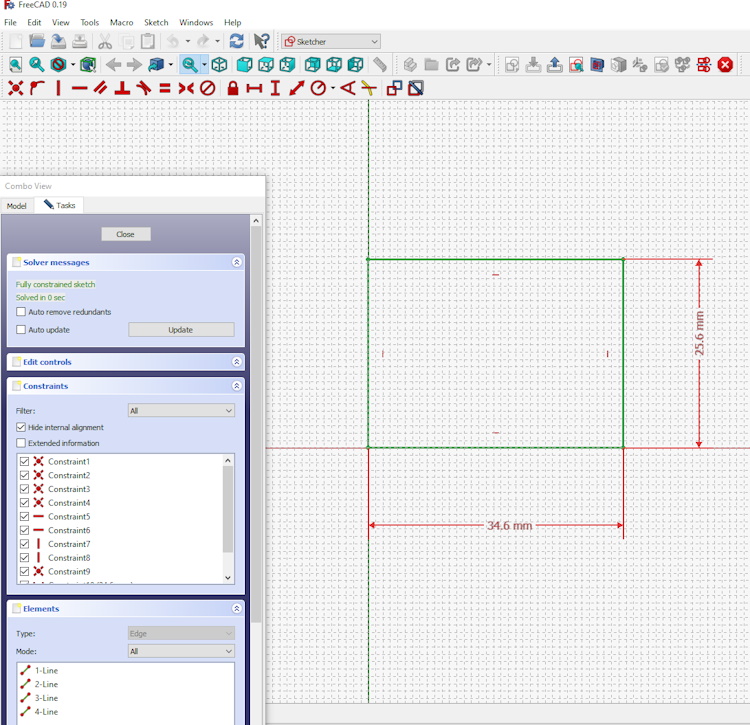
Note the solver message says it a "fully constrained" sketch (all lines are green) so it cannot be adjusted unless you remove the appropriate constraints
In tis sketch all the lines are marked as either horizontal or vertical with.little dashes (also shown in the constraint list).
If a horizontal or vertical dash is highlighted with the cursor exactly over the dash a LH mouse key makes the dash colour change from green to red. The "delete" key. will remove it and that line is no longer constrained. Remove both a vertical and horizontal constraint and those lines can be moved by the cursor and LH mouse ley but are still connected to the other fully restrained lines. The sa,e highlight and delete operation on a line join "node" will disconnect them..
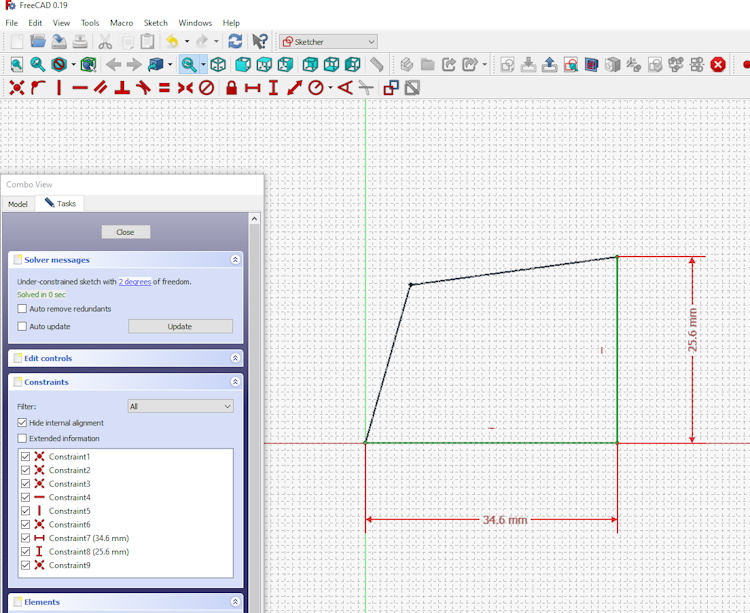
The solver message now tells you the sketch has 2 degrees of freedom and the unconstrained lines are black.
For absolute certainty a sketch should have no degrees of freedom but after adjusting a complex sketch can take quite a bit of digging to find out why it isn't!
If the adjustments you have done make the sketch worse and you cant understand why it pays to NOT save it so at least the unmodified original is still there!
Hope this helps.
Note the solver message says it a "fully constrained" sketch (all lines are green) so it cannot be adjusted unless you remove the appropriate constraints
In tis sketch all the lines are marked as either horizontal or vertical with.little dashes (also shown in the constraint list).
If a horizontal or vertical dash is highlighted with the cursor exactly over the dash a LH mouse key makes the dash colour change from green to red. The "delete" key. will remove it and that line is no longer constrained. Remove both a vertical and horizontal constraint and those lines can be moved by the cursor and LH mouse ley but are still connected to the other fully restrained lines. The sa,e highlight and delete operation on a line join "node" will disconnect them..
The solver message now tells you the sketch has 2 degrees of freedom and the unconstrained lines are black.
For absolute certainty a sketch should have no degrees of freedom but after adjusting a complex sketch can take quite a bit of digging to find out why it isn't!
If the adjustments you have done make the sketch worse and you cant understand why it pays to NOT save it so at least the unmodified original is still there!
Hope this helps.
Please Log in or Create an account to join the conversation.
Time to create page: 0.710 seconds